
Managing appointments
See and manage all consultations in one place.
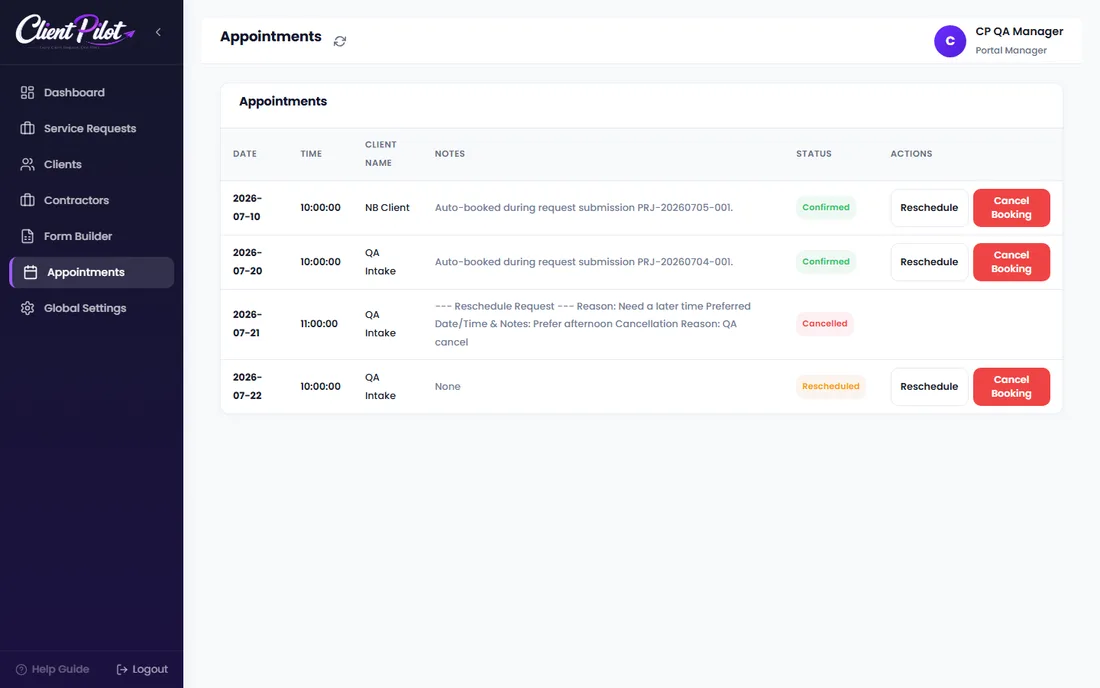
- 1Open the Appointments tab to see every booking.
- 2Use the status filters (Confirmed, Reschedule Requested, Cancelled) to focus.
- 3Cancel or reschedule from the actions on each row.
Tip: Reschedule requests from clients show up here for you to approve.













