
Approving contractors
New contractors must be approved before they can log in — as a manager, you can do this yourself.
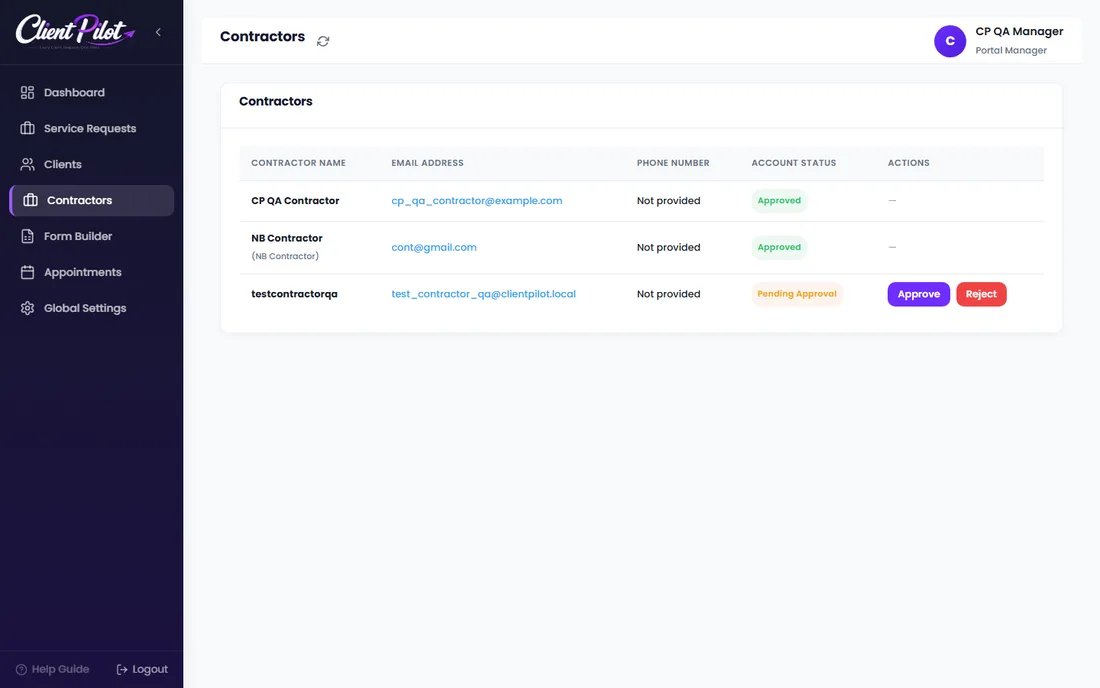
- 1Open the Contractors tab.
- 2A contractor awaiting review shows a "Pending Approval" badge.
- 3Click Approve to let them log in and be assigned to jobs — they get an email confirming it.
- 4Or click Reject if the registration is not genuine; they will not be able to log in.
Tip: Administrators can also approve staff (managers and contractors) under ClientPilot → Settings → Staff Approvals.













