
Assigning your portal pages
ClientPilot uses a few pages (login, dashboards, request form). This is how they are linked.
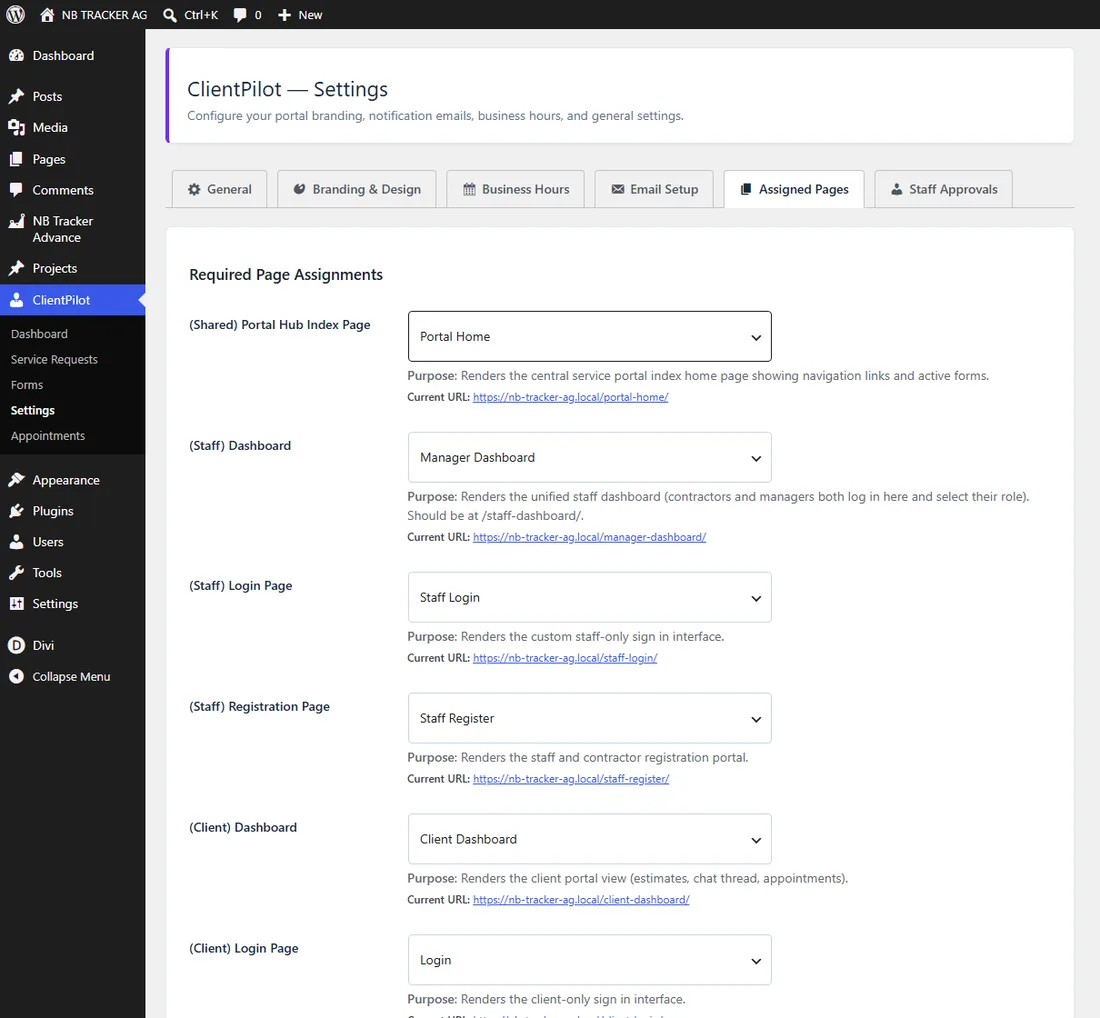
- 1Go to ClientPilot → Settings → Assigned Pages.
- 2Confirm each role has a page assigned (these are created automatically on install).
- 3If a warning appears at the top of your admin about missing pages, click it and re-assign.
Tip: You normally never need to touch this — it just works out of the box.













