
Setting your business hours
Control which days and times clients can book a consultation.
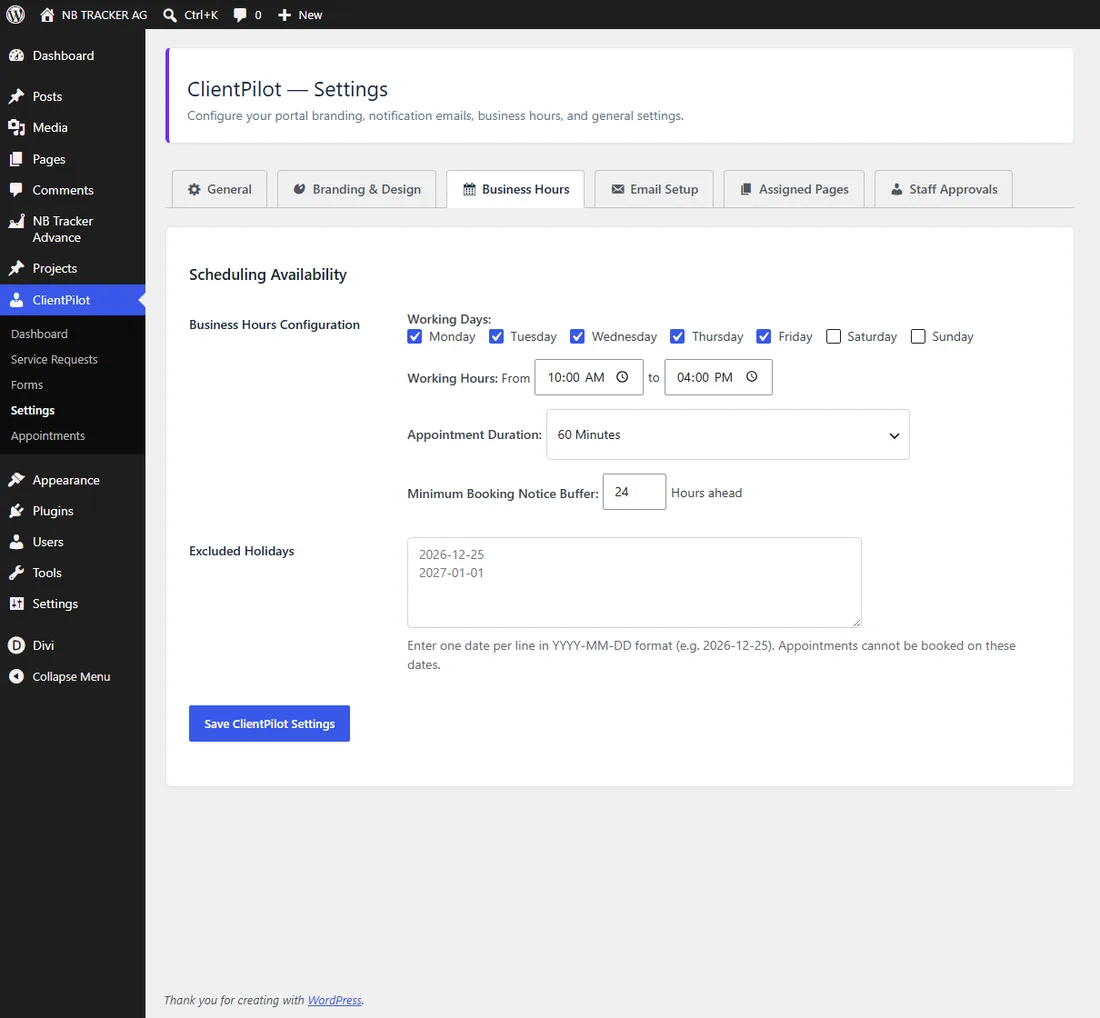
- 1Go to ClientPilot → Settings → Business Hours.
- 2Tick your working days and set the opening and closing time.
- 3Choose the appointment length and how much notice you need before a booking.
- 4Add any holidays you want to block, then Save.
Tip: Clients only ever see time slots that fit these rules, so you will not get bookings outside your hours.













