
Checking your portal health
The Diagnostics page gives you a one-glance health check of your ClientPilot setup.
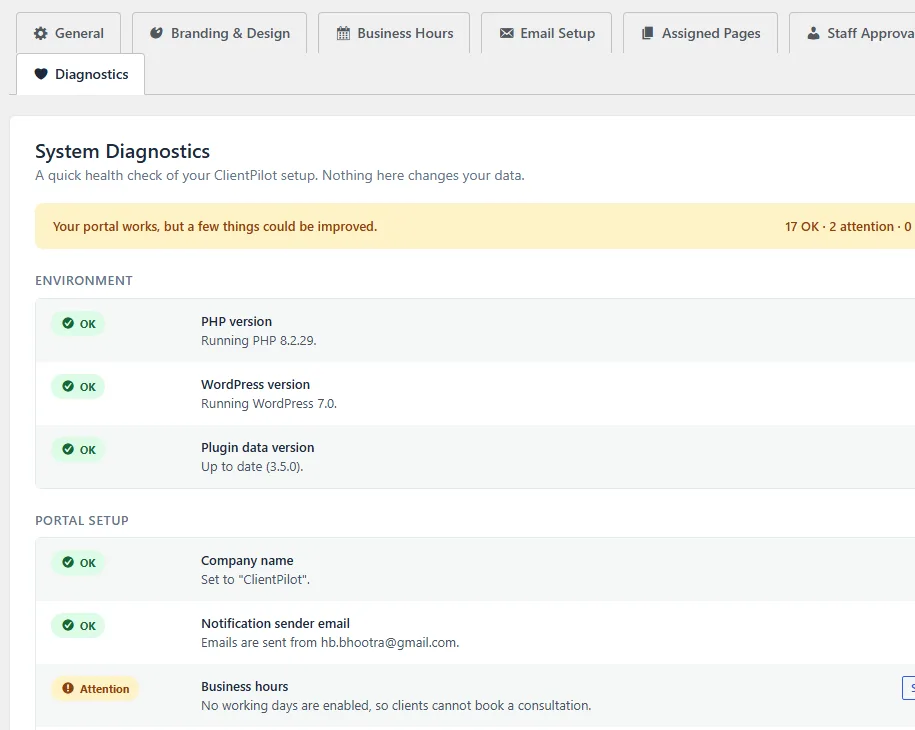
- 1Go to ClientPilot → Settings → Diagnostics.
- 2The banner at the top tells you whether everything is healthy or needs attention.
- 3Each row shows a status — OK, Attention, or Problem — with a short explanation.
- 4Where something needs fixing, use the button on the right to jump straight to it.
Tip: Nothing on this page changes your data — it is safe to open any time, and a screenshot of it helps support help you faster.













