
Turning on Google Sign-In (optional)
Let clients sign in with their Google account instead of a password.
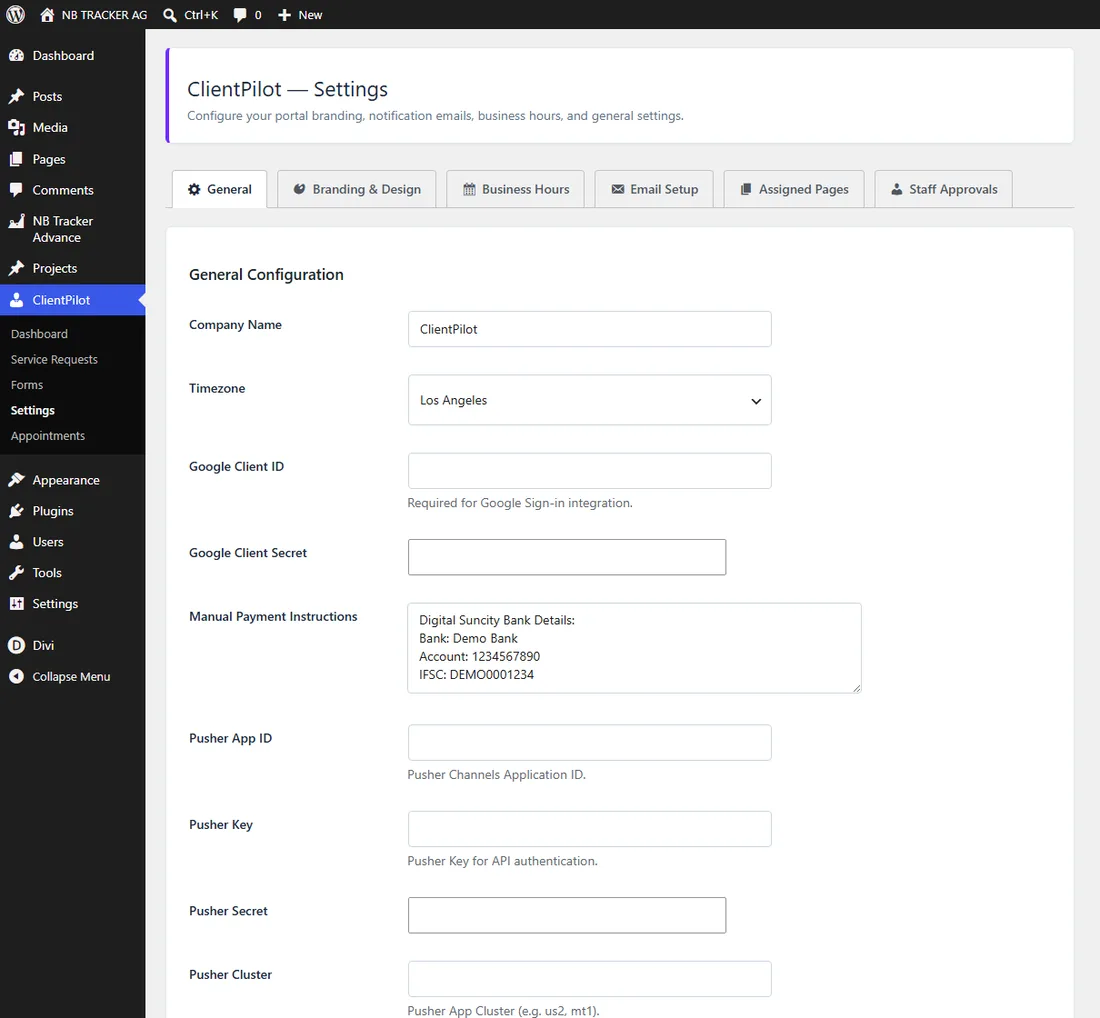
- 1Create a Google OAuth Client ID in your Google Cloud Console.
- 2Go to ClientPilot → Settings → General and paste the Client ID and Secret.
- 3Save. A "Continue with Google" button now appears on the login page.
Tip: This is optional — email and password login always works without it.













