
Inviting and approving your team
Managers and contractors sign up themselves, then you approve them.
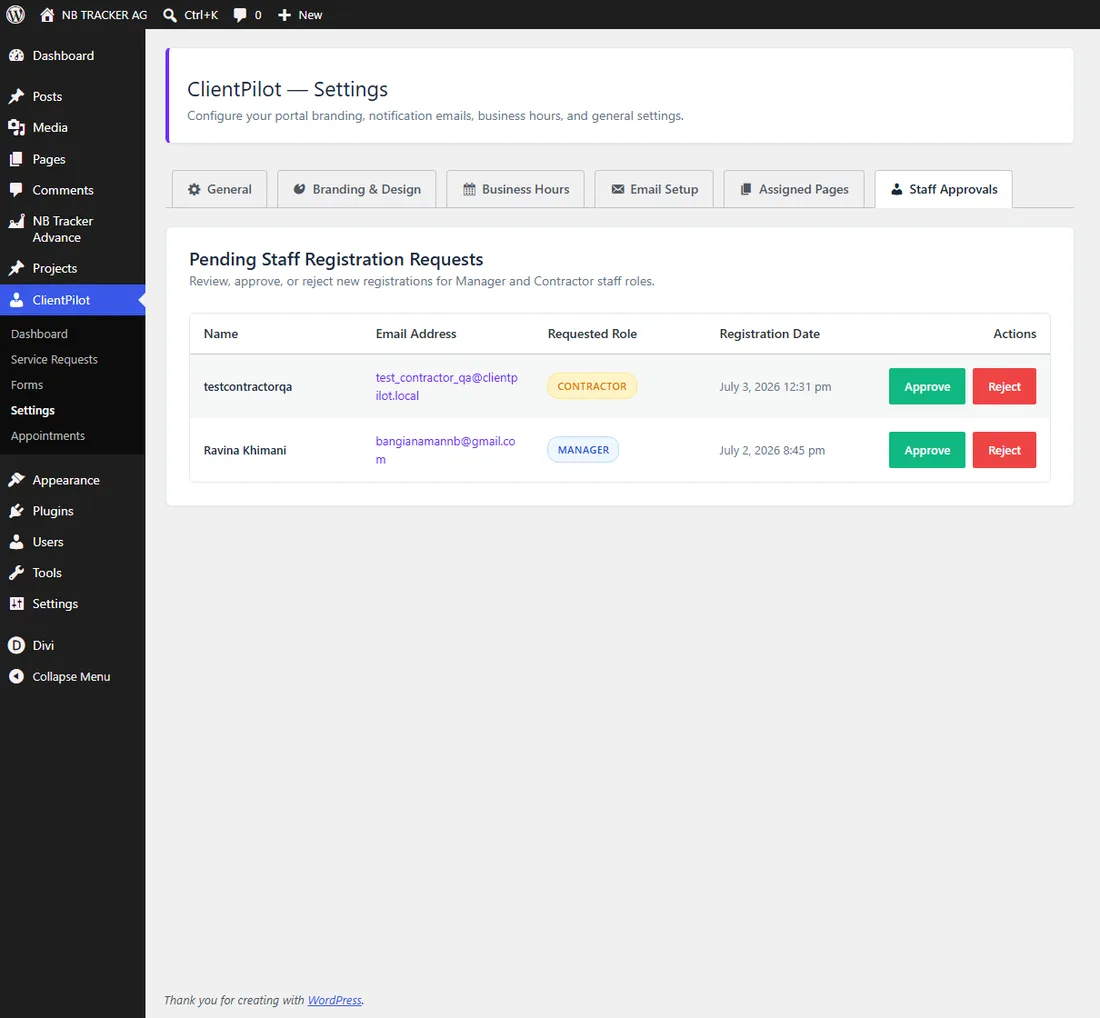
- 1Share your Staff Login page link with your team.
- 2They click "Register as staff" and choose Manager or Contractor.
- 3You get a notification, then approve them under ClientPilot → Settings → Staff Approvals.
- 4Once approved, they can log in to their dashboard.
Tip: You can approve or reject each request; rejecting removes the pending account. Managers can also approve contractors from their own dashboard.













